What files are needed for a DIALux lighting calculation?
A practical DIALux project input checklist covering drawings, dimensions, IES or LDT photometry, design criteria and site constraints before calculation work begins.
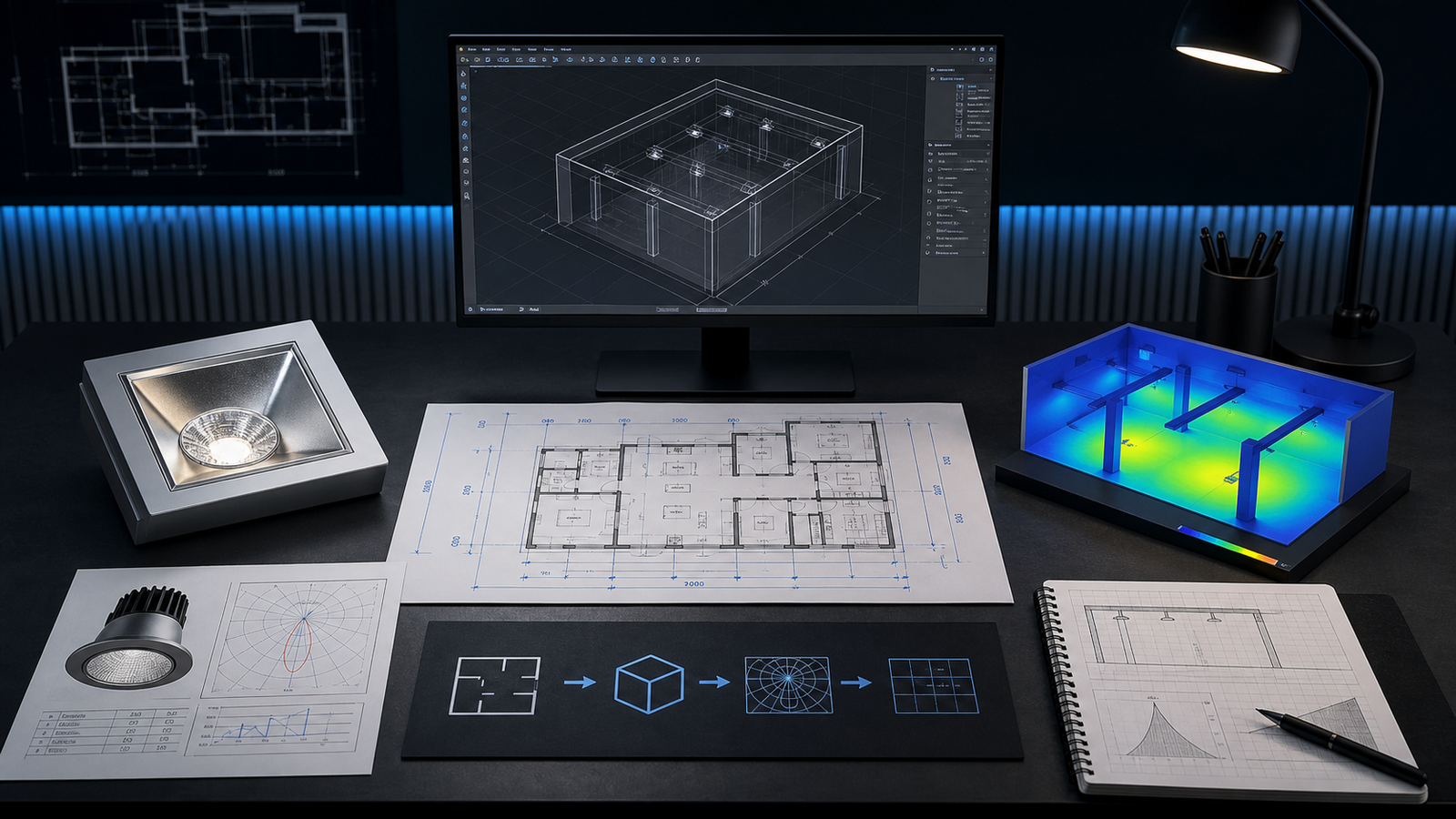
The short answer: send geometry, photometry and the design question
A professional DIALux lighting calculation needs three kinds of information: the real geometry of the area, the verified photometric data for the proposed luminaires, and a clear statement of what the design must achieve. A floor plan alone is not a complete brief, and a luminaire wattage or lumen figure is not a substitute for an IES, LDT, ULD or GLDF photometric file.
For a straightforward room, the minimum useful package is a legible plan with dimensions, mounting and calculation heights, the purpose of the space, the proposed luminaire model with its matching photometric file, and the performance criteria to be checked. More complex warehouse, road, emergency or sports projects need additional geometry and criteria because their visual tasks are different.
1. Drawings must communicate real geometry
Provide the latest floor plan, site plan, reflected ceiling plan or road drawing that defines the calculation area. PDF drawings can work when they are legible and contain reliable dimensions or a confirmed scale. DWG or DXF files often reduce tracing time because DIALux can use CAD geometry as a modelling reference. IFC models may also help on suitable BIM workflows, but the model still needs to contain the relevant spaces and dimensions.
Mark the revision and identify which sheet controls if several versions exist. Include ceiling or mounting heights, wall and ceiling construction, openings, structural columns, racking, machinery, furniture, poles, setbacks or pitch boundaries wherever they affect light distribution. For outdoor work, state orientation and the actual boundary rather than sending an unmarked aerial image.
2. Product identity and photometric files must match
DIALux calculates how a luminaire distributes light; it cannot derive that distribution reliably from power and lumens alone. Send the exact manufacturer, model, optic, output package and colour-temperature variant being considered, together with its verified IES, LDT, ULD or GLDF file. DIALux supports these luminaire-data routes, while its LDT Editor documentation explains that LDT and IES files contain the basic photometric information used in lighting design.
Confirm that the file belongs to the same product variant shown in the quotation or datasheet. A different optic, LED package or lumen output can produce a different result even when the housing looks identical. If the exact file is unavailable, say so before the calculation starts. A generic substitute may support an explicitly labelled preliminary study, but it cannot prove the performance of a specific product.
3. Define the calculation surfaces and success criteria
State what question the report must answer. That normally includes the target area, calculation plane or road surface, its height, the requested illuminance or luminance criterion, uniformity, and any relevant glare, vertical illuminance, emergency, spill-light or sports-lighting measure. If a consultant, client or authority supplied a project-specific requirement, include the current document and identify the applicable clause rather than asking the modeller to guess.
The intended use matters. A warehouse floor, rack face, office desk, escape route, residential road and football field are not interchangeable calculation surfaces. A DIALux report can support technical evaluation or a project submission, but the calculation does not create authority approval and cannot replace the full engineering, product and installation requirements of the project.
4. Record the real-world constraints and assumptions
Show where luminaires may actually be mounted and where they cannot. Include suspension lengths, pole positions, ceiling services, beams, rack aisles, machinery, canopies, trees, neighbouring boundaries and other obstructions that influence placement or shadowing. For an existing installation, photographs can clarify construction and obstruction details, but they should support rather than replace dimensional information.
Also confirm material reflectances when they are known, the maintenance or depreciation assumption agreed for the project, operating scenes, dimming or control states, and whether daylight is included. If the value is not known, the report should identify the assumption instead of presenting it as measured fact. Transparent assumptions make revisions and product comparisons much easier to audit.
A six-part DIALux calculation input checklist
Before sending the job, check six items: (1) the latest dimensioned drawing and revision; (2) heights, boundaries and relevant obstructions; (3) the exact luminaire model and matching IES, LDT, ULD or GLDF file; (4) the area use, calculation surfaces and target criteria; (5) permitted mounting positions, controls and agreed maintenance assumptions; and (6) the required deliverables, deadline and review allowance.
If one item is missing, identify it openly. LUXGRID can help define a practical next step, such as requesting photometry from the manufacturer, confirming a scale, separating a preliminary comparison from a product-specific calculation, or quoting the additional modelling needed. The safest brief is not necessarily the largest file package; it is the package that makes every important input traceable.
Frequently asked questions
Can I use a PDF plan instead of a DWG file for DIALux?
Yes, when the PDF is legible and has dependable dimensions or a confirmed scale. A clean DWG or DXF can reduce tracing time, but it does not replace the need to confirm heights, boundaries, obstructions and the drawing revision.
Can LUXGRID calculate without an IES or LDT file?
Only as an explicitly agreed preliminary or generic study where that limitation is acceptable. A defensible product-specific calculation needs verified photometric data for the exact proposed luminaire variant, such as IES, LDT, ULD or GLDF.