How can you compare two DIALux lighting calculation reports fairly?
Compare DIALux lighting calculation reports by controlling geometry, luminaires, maintenance, calculation settings, metrics and assumptions first.
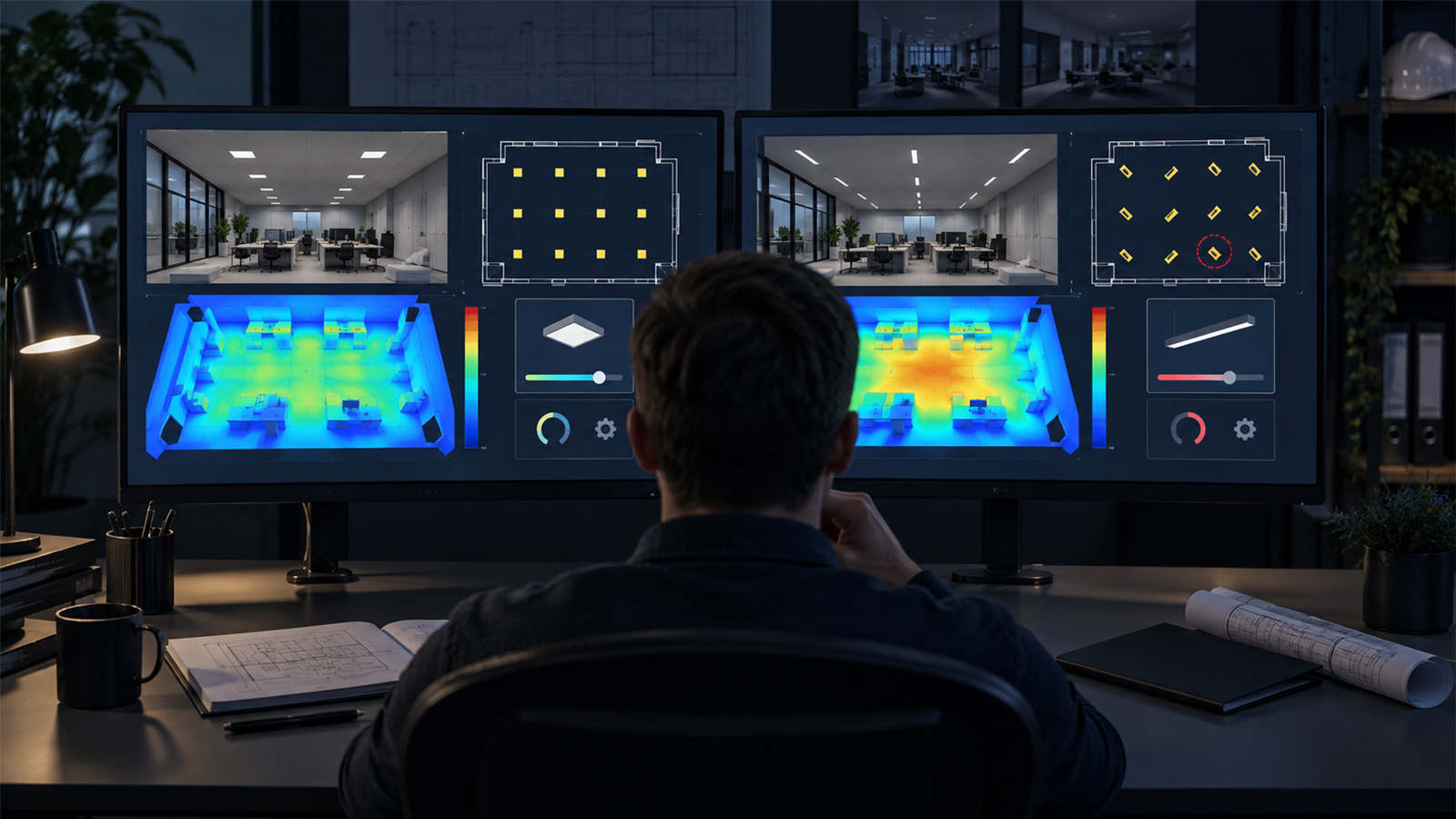
The short answer: compare the inputs and calculation basis before the headline results
Two DIALux lighting calculation reports are comparable only when they answer the same question. Confirm that room or site geometry, calculation surfaces, target criteria, luminaire photometry and output, maintenance basis, active lighting scenes and calculation settings are aligned before comparing average lux, minimum values, uniformity, glare or energy information.
If those inputs differ, the reports may both be internally correct but unsuitable for a direct option decision. Build a short comparison matrix, identify every controlled and changed variable, then judge the result that matters for the project. A brighter image or higher average is not automatically the stronger design.
1. Confirm that both reports model the same geometry
Compare room dimensions, mounting height, workplane height, wall zones, task areas, surrounding areas, openings, obstructions, furniture and outdoor boundaries. Check that imported plans use the same scale and origin. A small change in room size or a calculation surface clipped around the strongest values can shift the result without any improvement in the luminaire option.
Use plan views and dimensions rather than relying only on renderings. For warehouses, compare rack positions and aisle surfaces. For roads, compare lane profiles and road-surface data. For offices, confirm task areas and furniture treatment. The geometry check should reflect the actual project type.
2. Match every calculation object and evaluation target
A workplane, polygonal task area, vertical surface or point grid can answer a different question even when it appears in the same room. Compare each object's name, dimensions, position, height offset, wall zone, grid method and cut-outs. Confirm that the same target values and governing criteria have been assigned to equivalent objects.
DIAL's current calculation guidance explains that calculation objects can have defined size, name and position, while working planes can use specified heights, wall zones and evaluation grids. It also allows deliberate cut-outs. These settings should be visible in a fair comparison because they influence which points are included in summary values.
3. Verify the exact luminaire and operating condition
Record manufacturer, model, optic, IES or LDT file, quantity, arrangement, mounting orientation, tilt, output setting and rated power for every option. Similar product names or wattages do not prove that two photometric distributions are equivalent. One report may also use a dimmed output while another uses the full file value.
Check which luminaires belong to each active lighting scene. If the reports compare alternative control states, state that clearly. If the decision is about luminaire performance, keep geometry, scene and calculation basis fixed so the change in results can reasonably be attributed to the product or arrangement being tested.
4. Align maintenance, reflectance and environmental assumptions
Compare maintenance factors and confirm whether each result is initial or maintained. Also review wall, ceiling, floor and object reflectance, as well as daylight, glazing, shading or outdoor surface assumptions when relevant. A higher result caused by a more optimistic maintenance factor is not evidence that the luminaire performs better over the project life.
List assumptions side by side. Where the client has not supplied a value, use the same justified assumption in both options and label it. If an option genuinely requires a different maintenance strategy or surface condition, keep the difference but explain its operational consequence rather than hiding it inside the model.
5. Compare calculation settings and result status
Confirm whether both projects calculated the same rooms, scenes and objects, and whether furniture, detailed objects, reflections or simplified calculation modes were treated consistently. A cached or outdated result should not be compared with a current calculation after geometry or luminaire changes.
DIALux evo 14 introduced room-by-room calculation status information and documents which rooms or spaces were calculated with that method. Current DIAL guidance also lets users choose complete or partial calculations and settings such as with or without furniture. Record these choices when they could change the result.
6. Read the right metrics for the design question
Compare average illuminance only when average illuminance is the relevant measure. Add minimum values, minimum-to-average or other required uniformity, glare, vertical illuminance, luminance, spill, power or energy measures according to the agreed brief. A strong average can coexist with a weak minimum or a glare problem.
Use isolines, false colours and value charts to locate patterns, not to replace the numerical check. Match colour scales before placing plots side by side; otherwise the same colour can represent different values. DIAL's official results guidance supports configurable isolines, false colours and value charts, so the reviewer should verify the legend and range used in each report.
7. Separate a product change from a layout change
Decide what the comparison is meant to isolate. If the question is which optic fits an unchanged layout, hold positions and output conditions constant. If the question is which complete design uses fewer luminaires while meeting all criteria, allow layout and quantity to change but compare the full consequences: poles or supports, controls, installed load, dark areas, glare and maintenance access.
Changing several variables can be legitimate, but the report should say so. Describe each option as a complete scenario rather than attributing the outcome to one product feature. This keeps procurement and technical reviewers from confusing a better-optimised arrangement with an inherently better luminaire.
DIALux report comparison checklist
Before comparing results, align: (1) drawing scale and geometry; (2) calculation objects and grids; (3) target criteria; (4) exact luminaire photometry and output; (5) positions, heights and aiming; (6) maintenance and reflectance; (7) active scenes and controls; (8) calculation settings and current-result status; and (9) the metrics, legends and units shown.
Before choosing an option, record what stayed fixed, what changed, which assumptions remain unverified, whether each required criterion was met, and which trade-offs affect installation or operation. A DIALux comparison can support project evaluation or submission; the relevant client, consultant or authority remains responsible for acceptance.
Authoritative DIALux references used for this guide
DIAL's official calculation training covers working planes, rectangular and polygonal calculation objects, height offsets, measuring grids, cut-outs, task areas, results monitoring, isolines, false colours and value charts. Its indoor-lighting guidance also describes selective calculation, lighting scenes, luminaire data, results monitoring and configurable documentation.
DIAL's DIALux evo 14 documentation explains the current room-by-room calculation method, result status and the absence of light exchange between separately calculated rooms or spaces. These product capabilities support comparison, but they do not decide which project criteria or variables should be held constant.
Frequently asked questions
Can I compare two DIALux reports by average lux alone?
Usually not. First confirm equivalent inputs and surfaces, then compare the metrics required by the brief, such as minimum, uniformity, glare, vertical illuminance, luminance, spill or energy. A higher average can hide a weaker minimum or other problem.
Do both DIALux options need the same luminaire quantity?
Only if quantity is one of the controlled variables. A complete-design comparison may allow different quantities and layouts, but it should compare all resulting criteria, installed load, glare, dark areas, controls and maintenance implications rather than claiming that one product alone caused the outcome.