Can a beam angle replace an IES or LDT file in a DIALux calculation?
Learn why beam angle alone cannot reproduce a luminaire's full light distribution, and what to verify in an IES or LDT file before a DIALux calculation.
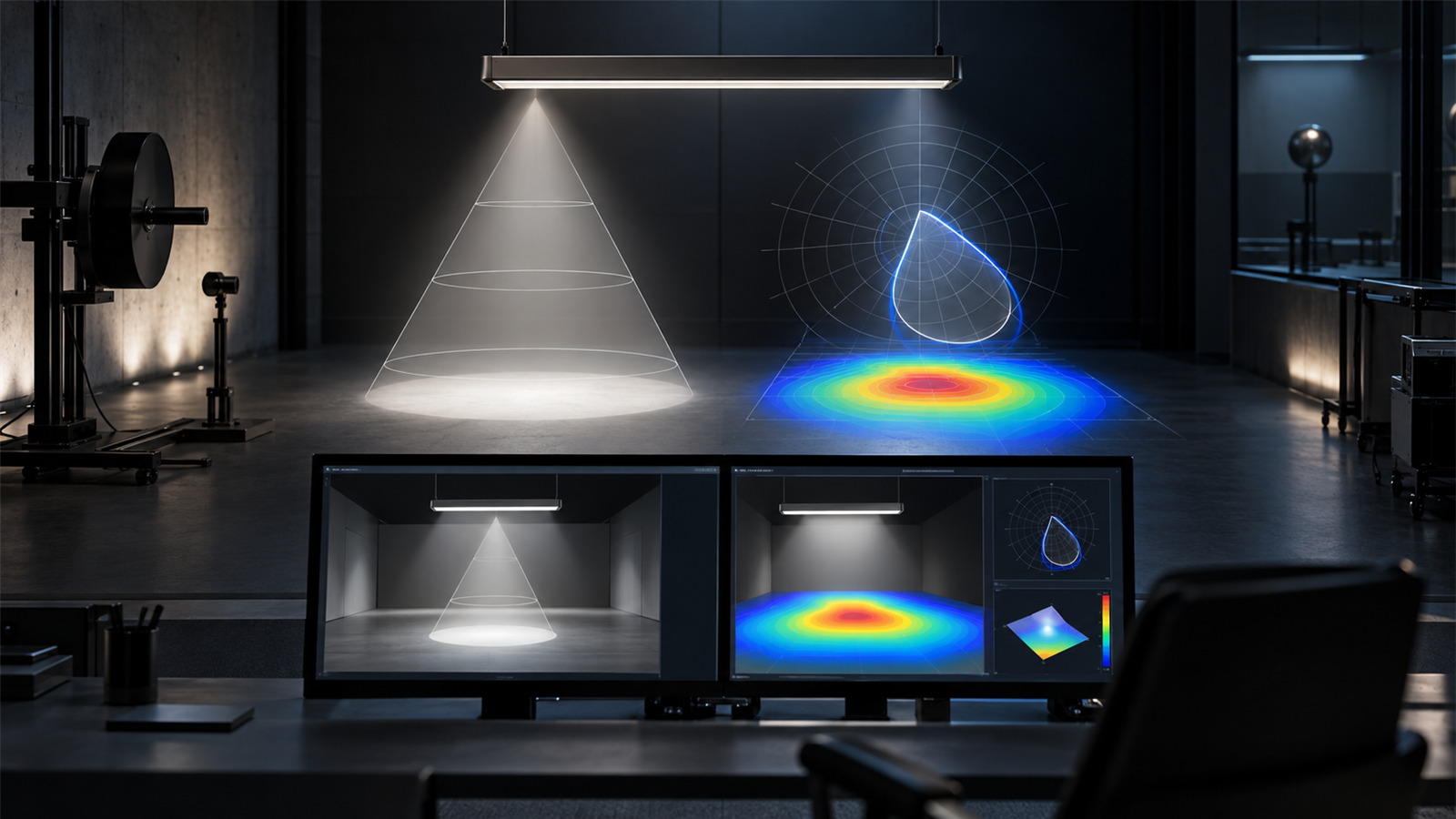
The short answer: no, a beam angle is a summary, not a photometric model
A beam angle can help describe whether a luminaire is broadly narrow, medium or wide, but it cannot replace an IES or LDT file in a product-specific DIALux calculation. The calculation needs the luminaire's directional intensity data so it can determine how much light reaches each surface from each installed position and orientation.
If the exact photometric file is unavailable, a beam angle may support an early concept discussion or product shortlist. It should not be used to recreate an invented distribution and then presented as an exact result for the proposed luminaire. Label any provisional model, state the substitution and recalculate when verified manufacturer data arrives.
1. Understand what a beam angle does and does not describe
Beam angle compresses a three-dimensional light distribution into one or two headline values. It can indicate the approximate spread around a principal direction, which is useful when choosing between optics or checking whether a datasheet description is plausible. It does not show every intensity value inside and outside that nominal cone.
Two luminaires can publish the same beam angle while producing different centre intensity, edge transition, spill, asymmetry or upward component. They may create different average illuminance, minimum values, uniformity, glare and light beyond the target. A clean cone drawn on a catalogue page is therefore not enough information for a defensible calculation.
2. Use IES or LDT data for the actual directional distribution
IES and LDT files store photometric information in a structured form that lighting software can read. DIAL's official LDT Editor guidance says EULUMDAT files include basic design data such as lamp configuration and luminous intensity, and that the editor can open both LDT and IES files for integration into DIALux lighting designs.
That directional data lets DIALux evaluate a real distribution from the installed mounting height, position, rotation and tilt. The file may also carry identifying and technical fields that help the reviewer confirm the product and light output. It is still an input, not proof by itself that the file matches the proposed order code or current production version.
3. Match the exact luminaire, optic and operating variant
Request the file for the exact manufacturer, family, size, optic, lumen package, colour-temperature option and output setting being proposed. Similar names can hide different distributions. A single housing may be offered with several lenses, reflectors or diffusers, while an emergency or dimmed operating mode may use a different output from the normal scene.
Compare the file identity with the quotation, product code and current datasheet. Check luminous flux and power where those fields are provided, but do not assume that matching wattage proves matching photometry. Record the source and date of the file so a later revision can be traced.
4. Treat a PDF datasheet as a cross-check, not an automatic substitute
A manufacturer's PDF can be valuable. It may show beam angles, a polar curve, output, dimensions, mounting method, protection rating and ordering options. Use those details to check whether the imported photometric file is plausible and appropriate for the project environment.
The PDF is not automatically machine-readable photometry. A polar diagram printed at small scale cannot reliably reproduce the original intensity table, and a generic family sheet may cover several optics. If the manufacturer provides a verified DIALux catalogue, Luminaire Finder entry, IES, LDT, ULD or GLDF file, use the exact planning data intended for that variant. DIAL's current training lists ULD, LDT, IES and GLDF as supported luminaire-import routes.
5. Keep provisional calculations visibly provisional
When photometric data is missing during concept design, the team can test a clearly identified reference luminaire with a reasonably similar purpose and distribution. The report should name the temporary product, explain why it was used and state that quantity, spacing, aiming and results require recalculation with the selected product file.
Do not rename a substitute file as the proposed luminaire or adjust its flux until the headline lux value looks convenient. Scaling output cannot create the missing distribution. It may change total light while leaving the wrong optical pattern, glare behaviour and spill assumptions in place.
6. Inspect the imported distribution before trusting the result
After import, check the luminaire name and technical data, then view the intensity distribution or light-emitting geometry available in the software. Confirm orientation: an asymmetric road, wallwash or aisle optic can produce a plausible but wrong result when rotated. For adjustable fittings, record the actual tilt and aiming direction used in each calculation scene.
Run a reasonableness check on the result pattern. Look for unexpected hotspots, dark bands, backwards asymmetry or excessive spill. Compare the calculated pattern with the manufacturer's polar diagram or application image only as a cross-check. If the file, variant or orientation cannot be reconciled, stop and clarify rather than issuing a precise-looking report from an uncertain input.
7. Verify more than average lux
A wrong distribution can sometimes produce an acceptable average while failing at the edges or between luminaires. Review minimum values, the required form of uniformity, glare, vertical illuminance, luminance or spill where the brief calls for them. Use point grids, false colours, isolines and relevant views to locate patterns that one summary number can conceal.
Keep geometry, calculation surfaces, reflectance, maintenance, scenes and output conditions consistent when comparing two optics. Otherwise the team cannot tell whether the difference came from the photometric file or another modelling change. A professional report should make the exact product data and main assumptions traceable.
Photometric-data decision checklist
Before calculation, confirm: (1) exact manufacturer and order code; (2) optic, diffuser or reflector; (3) lumen package and operating mode; (4) colour-temperature variant where relevant; (5) current IES, LDT, ULD, GLDF or verified catalogue source; (6) file identity and date; (7) mounting height, rotation and tilt; and (8) whether any substitute is explicitly labelled provisional.
Before issue, verify that the imported data matches the proposed product, the distribution faces the correct direction, result patterns are plausible, required metrics have been reviewed and every unresolved assumption is visible. A DIALux calculation can support product comparison, project evaluation or submission; acceptance rests with the relevant client, consultant or authority.
Authoritative DIALux references used for this guide
DIAL's current LDT Editor guidance explains that EULUMDAT files carry lighting-design data including lamp configuration and luminous intensity, and that the editor opens LDT and IES data for use in DIALux. DIAL's current interior-lighting training identifies ULD, LDT, IES and GLDF as luminaire-import formats.
DIAL's Luminaire Finder and member-catalogue guidance describe planning with real, market-ready luminaires and manufacturer-supplied photometric data. Those sources establish the role of product data in the software; the project team remains responsible for matching the exact variant, installation geometry, criteria and acceptance process.
Frequently asked questions
Can I make an IES file from a beam angle and lumen value?
Not reliably. Those two values do not describe the full directional intensity distribution. A generated file would add assumptions that were not measured or supplied by the manufacturer, so it should not be presented as exact product photometry.
What should I do if the supplier cannot provide IES or LDT data?
Ask for another verified DIALux-compatible source or use a clearly named reference luminaire only for a provisional concept. Record the substitution and recalculate with the selected product's confirmed photometric data before relying on the result for procurement or submission.